
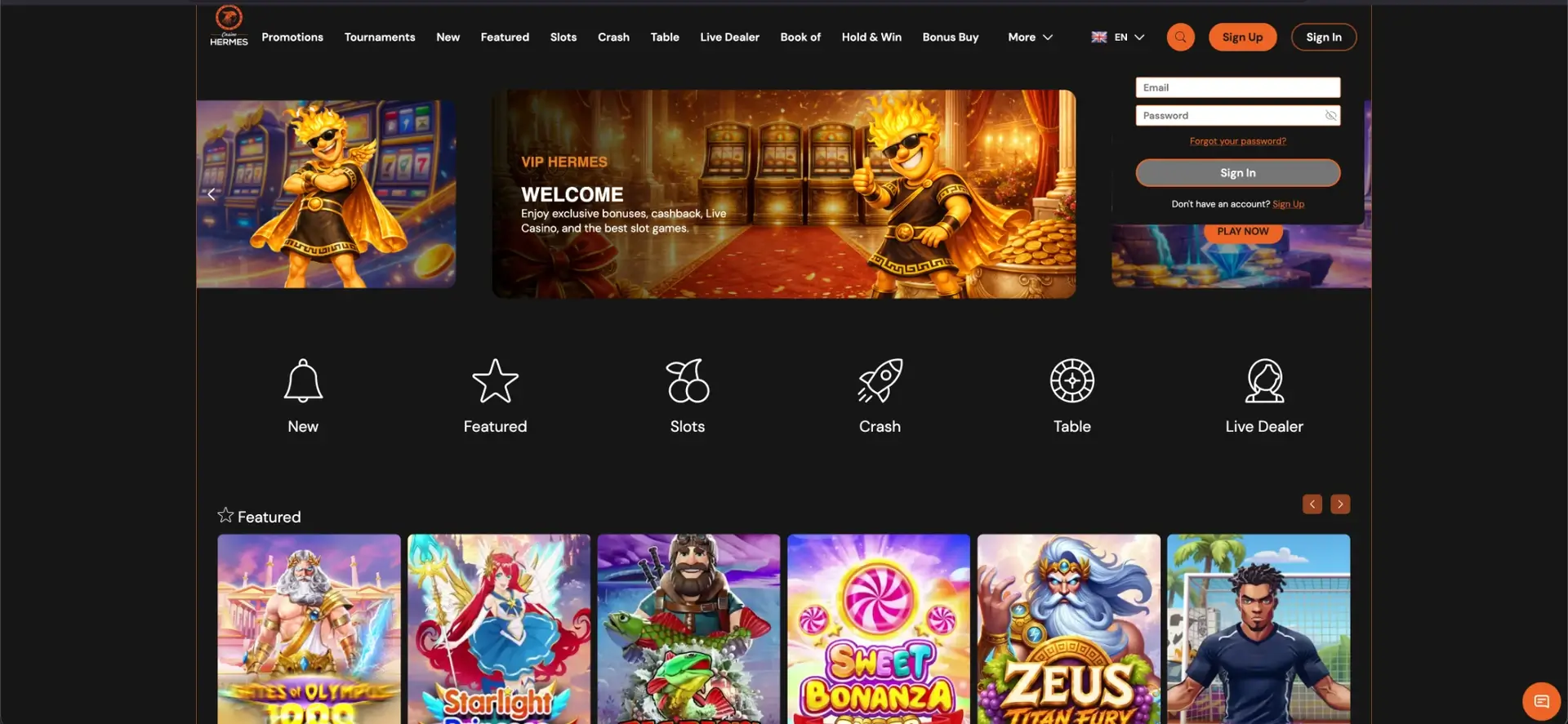
To log in to Hermes Casino, select the “Sign In” button in the top-right corner of the website, enter your email address and password, and confirm. Once signed in, you can access your balance, the cashier, active bonuses, the VIP programme and personal settings. The login process is the same on desktop and mobile, and because Hermes Casino runs entirely in a browser, no separate app download is required.
This page explains the Hermes Casino login process step by step: how to sign in, reset a password, keep your account secure and resolve common access problems. It also covers when age, identity and KYC checks may be required.
| Feature | Details |
|---|---|
| Where to sign in | “Sign In” button in the top-right corner |
| Login method | Email address + password |
| Password reset | Through “Forgot your password?” |
| Devices | Desktop and mobile through a browser |
| Verification timing | Age and identity checks before gambling at UKGC-licensed operators; additional KYC may be requested later |
| Currency | GBP |
How to log in to Hermes Casino
Once you have an account, logging in to Hermes Casino takes only a few seconds. You need the email address and password used during registration. Follow the steps below.
- Open the website in your browser.
- Select Sign In in the top-right corner.
- Enter your email address.
- Type your password; the field is case-sensitive.
- Select Sign In and wait for your account to load.
No account yet? How to register
To create a profile, select “Sign Up”. During registration, the welcome offer of 250% up to £2,000 plus 50 free spins appears at the top of the form, and you select your currency.
- Select Sign Up and enter your first name, surname and telephone number using the UK country code +44.
- Enter your email address and a password, then select GBP as the currency.
- Confirm that you meet the legal age requirement, accept the terms and complete any required age and identity checks.
How to log in securely
Protecting your Hermes Casino login starts with a few sensible habits. The points below reduce the risk of unauthorised access to your account.
- Use a strong, unique password that you do not use for any other service.
- Do not sign in on public or shared computers.
- Always check that you are on the genuine website rather than a copied or phishing page.
- Never share your login details; customer support should never ask for your password.
Forgotten password and password recovery
When you forget your password, reset it directly from the sign-in window. Recovery instructions are sent to the email address linked to your account.
- Select Sign In and then Forgot your password?.
- Enter the email address linked to your account.
- Follow the link in the email to create a new password.
- Sign in again using your new password.

Logging in on mobile
The Hermes Casino login works on mobile exactly as it does on desktop, through your browser. Open the website on your phone, tap “Sign In” and enter your email address and password. Nothing needs to be installed to access your account.
How to resolve login problems
When login fails, the cause is usually incorrect details, a browser issue or an account review in progress. The most common situations and solutions are explained below.
Incorrect login details
Check that you are using the same email address entered during registration and that Caps Lock is off, as the password field is case-sensitive. When you are unsure of the password, use “Forgot your password?” to reset it.
Browser or cache problems
When the sign-in page loads but the form does not respond, clear your cache and cookies and reload the page. Disable extensions that block scripts or external content, or try a different browser.
Account blocked or placed on hold
A message stating that the account is blocked or on hold may be linked to an ongoing verification or data review. Contact customer support through live chat or the Contact Us page for an explanation and next steps.
What you can do after signing in
Once signed in, all the main account functions are available in one place. From there, you can manage your games, money and bonuses.
- Deposit and withdraw through the cashier in pounds sterling.
- View active bonuses and free spins.
- Track VIP benefits and cashback.
- Manage personal and verification details.
Account verification (KYC)
For UK Gambling Commission-licensed online casinos, a player’s age and identity must be verified before gambling is permitted. Hermes Casino may also request additional KYC documents, including copies of both sides of a payment card or other evidence, before processing a withdrawal. Withdrawals are made only to the person registered on the account. Make sure your account information matches your documents exactly, as discrepancies can delay access or payment.
Frequently asked questions about the Hermes Casino login
Below are the questions most often asked about logging in to Hermes Casino.
How do I log in to Hermes Casino?
Select “Sign In” in the top-right corner, enter your email address and password, and confirm.
I have forgotten my password. What should I do?
Select “Forgot your password?” in the sign-in window, enter your email address and follow the recovery link sent to you.
Can I log in on mobile without an app?
Yes. The Hermes Casino login works entirely in a mobile browser without an installation.
When do I need to verify my identity?
UKGC-licensed online operators must verify age and identity before allowing a customer to gamble. Additional KYC information may be requested when legally necessary or before a withdrawal. Keep valid identification available and make sure your account details are accurate.
Gambling is for adults aged 18 and over in the UK. Gamble responsibly. Check an operator’s status on the UK Gambling Commission public register before playing. Free self-exclusion support is available through GAMSTOP.